
Blank, Zero or Pending? How to Interpret Empty Table Cells
Blank, Zero or Pending? How to Interpret Empty Table Cells
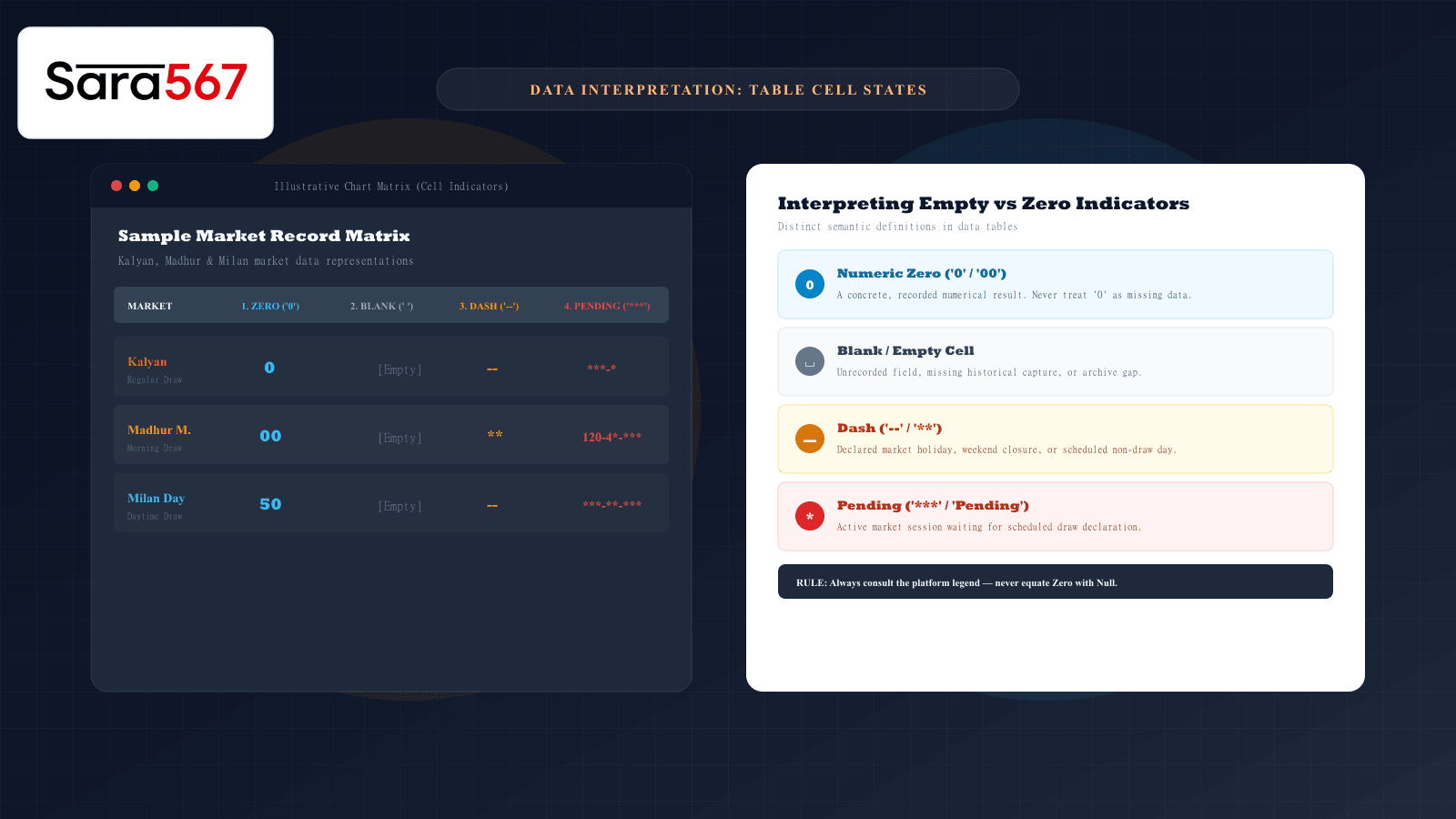
When reviewing a numerical record table—such as a Kalyan Panel Chart, Madhur Morning daily grid, or Milan Day Jodi matrix—you will frequently encounter cells that do not contain a standard three-digit Pana or two-digit Jodi. Instead, you might see an explicit 0, an empty white box, a double dash (--), or a masked placeholder like ***-**-***.
To an untrained eye, these visual states look interchangeable. People often assume that a cell displaying 0 means "no data," or that a dash means a technical error occurred on the website.
In professional data management and structured market archives, however, each of these states represents a strictly defined semantic condition. Conflating a numeric zero with an unrecorded cell or a declared holiday can distort historical review and lead to erroneous conclusions.
The 4 Fundamental Table Cell States
To interpret records accurately across any web platform or archive sheet, you must separate four distinct concepts:
┌─────────────────┬──────────────────────────────────────────────────────────────┐
│ Cell State      │ Technical & Semantic Meaning                                  │
├─────────────────┼──────────────────────────────────────────────────────────────┤
│ 1. Numeric Zero │ An authentic, declared numerical result (Value = 0 or 00).   │
│ 2. Blank / Null │ Data unrecorded, missing historical capture, or archive gap. │
│ 3. Dash (--)    │ Scheduled market holiday, closed session, or non-draw day.   │
│ 4. Pending (***)│ Active session awaiting official outcome declaration.        │
└─────────────────┴──────────────────────────────────────────────────────────────┘
1. Numeric Zero (0, 00, 000): A Valid Declared Value
In arithmetic databases, 0 is a number, not an absence of information. In Satta Matka chart matrices, zero is an active and essential digit:
- Single Digit Zero (
0): Represents the outcome when a three-digit Pana sums to a multiple of ten. For example, if the open draw is145(1 + 4 + 5 = 10), the single digit is strictly0. - Double Zero Jodi (
00): An authentic two-digit market bracket where both open and close single digits are zero. - Red Jodi Highlighting: On many classic chart displays, brackets like
00,05,50, or55are printed in red ink to indicate half or full family pairs. Treating00as an empty cell would erase valid statistical history. - Triple Zero Pana (
000): A recognized three-digit combination known in historical literature as a triple patti.
Rule: Never treat a visible zero as missing, null, or empty data. A zero represents a completed draw session with a verified outcome.
2. Blank / Empty Cell: Missing or Uncaptured Data
A completely blank cell indicates that no value was supplied to the database. In relational database terms, this represents a NULL state.
In historical records, an empty cell typically occurs due to:
- Archive Incompleteness: The publishing system digitized historical sheets from physical newspapers or ledger books where a particular weekday was omitted or unreadable.
- Delayed Ingestion: The table structure was generated for an upcoming calendar week, but the crawler or editor has not yet populated that specific field.
- Data Feed Glitches: A temporary network or API sync failure where a cell was bypassed during page generation.
When you encounter an empty white box on an informational dashboard, it signals an information gap, not a score of zero.
3. Dash (--, **): Declared Market Closure or Holiday
Unlike a blank cell (which implies an omission), a dash is an intentional symbol inserted by platform editors.
In market tables, dashes convey administrative closures:
- Weekly Market Holidays: Many traditional bazars (such as Kalyan Day or Main Bazar) operate five or six days a week and remain closed on Sundays. Rather than leaving the Sunday column blank, editors insert
--or**to confirm that no draw was scheduled. - Public & National Holidays: During major festivals or bank holidays, markets suspend operations. The dash communicates to the reader: "We did not forget to record the result; the market was officially closed."
- Emergency Suspensions: If a draw was cancelled due to regional technical halts, a dash denotes the cancellation.
4. Masked / Pending Placeholders (***-**-***): Active Sessions
On real-time informational portals like Sara 567, results are published in phased sessions throughout the day. To indicate that a draw is scheduled but has not yet concluded, the platform uses structured mask placeholders:
- Pre-Session State (
***-**-***): Neither the open session nor the close session has declared. The asterisks indicate an active, pending market. - Partial Declaration (
120-3*-***): The opening session has concluded (Pana120, single digit3), but the closing session remains pending. The asterisk (*) specifically indicates the unannounced close single digit, and***masks the unannounced close panel. - Final Declaration (
120-38-468): The market session has fully concluded, replacing all asterisks with finalized numbers.
Recognizing the masked format prevents users from mistaking an active, in-progress draw for a cancelled game or an incomplete record.
Summary Matrix: How to Interpret Any Cell
| Symbol / Appearance | What It Means | How to Verify It |
|---|---|---|
0 / 00 | Valid declared result digit or Jodi | Check preceding and succeeding Pana digits; verify sum. |
| Blank space | Missing data or digitization gap | Cross-reference with our all market charts directory. |
-- / ** | Scheduled holiday or market closure | Check the market’s weekly schedule to confirm closed days. |
***-**-*** | Session pending (draw not yet held) | Review official market opening and closing draw times. |
Key Takeaways for Data Review
Accurate record interpretation depends on understanding platform conventions:
- Zero has mathematical weight: In numeric archives, zero is a concrete result digit, not an absence of data.
- Dashes are administrative: A dash confirms a scheduled non-draw day.
- Asterisks denote time: Placeholders indicate that a draw has not yet occurred.
- When in doubt, check the legend: Always review the website’s official documentation or footer notes before drawing conclusions from unusual symbols.
To learn more about proper data handling and avoiding auto-formatting errors when exporting chart tables to spreadsheets, read our guide on copying chart values into Excel without errors. If an active link fails to display current statuses, see our diagnostic breakdown on troubleshooting chart links that will not open.
Explore Corresponding Market Charts & Verification Tools
Verify real-time numbers, track open/close records, and analyze weekly trends on our informational dashboard.