
How to Check Whether a Displayed Date Includes a Time Zone
How to Check Whether a Displayed Date Includes a Time Zone
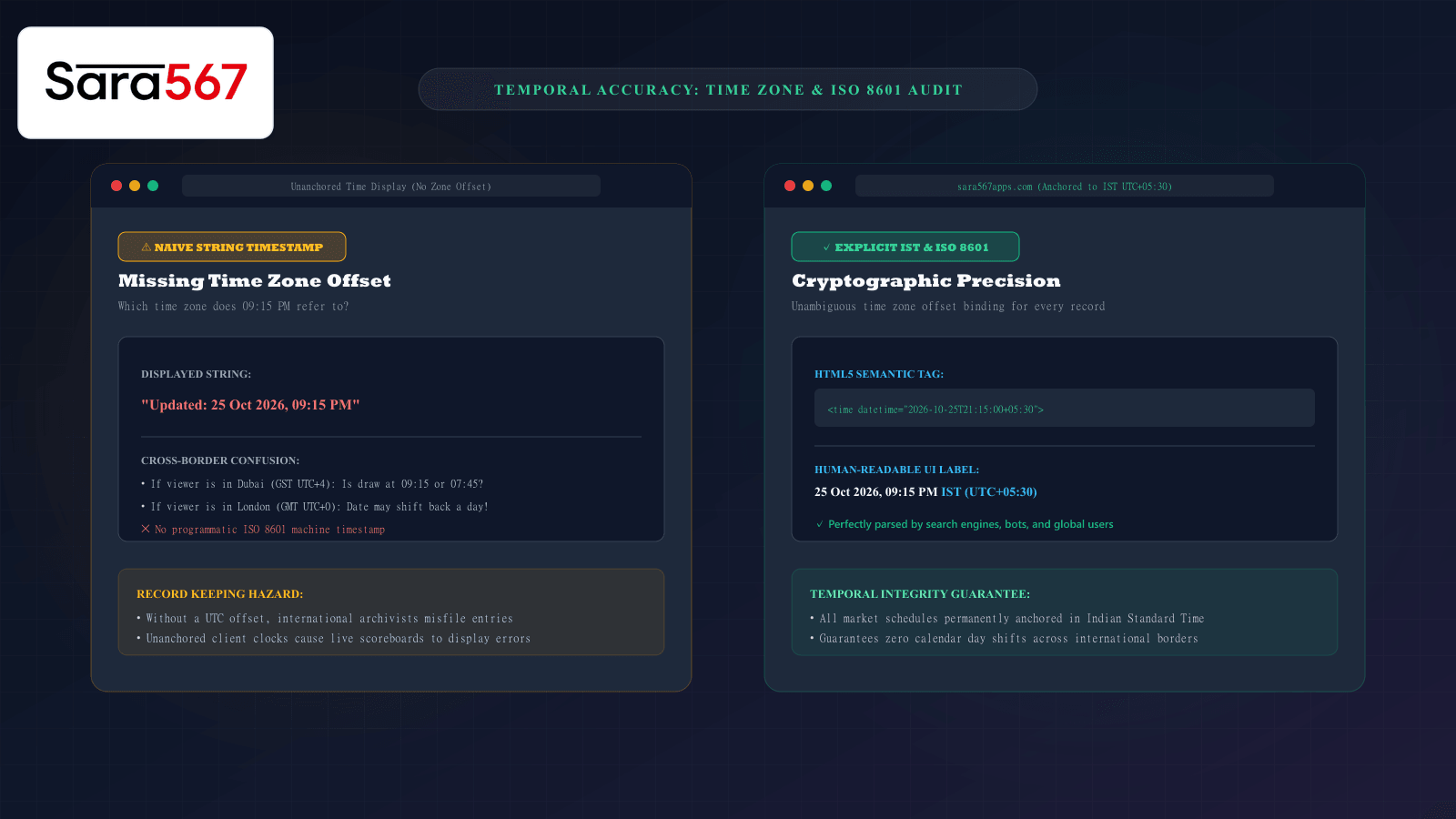
When viewing live market scoreboards, panel archives, or historical date matrices for markets like Kalyan, Madhur Morning, or Milan Night on Sara 567, time is the primary organizing coordinate. Every row begins with a calendar date, and live scoreboards announce exact draw declarations: "Updated at 09:15 PM".
However, in our interconnected global internet, a timestamp without an explicit time zone is fundamentally incomplete. Satta Matka markets operate strictly on Indian Standard Time (IST, UTC+05:30).
If an informational portal outputs a raw time string without designating its time zone or fails to implement machine-readable ISO 8601 standards, visitors accessing the site from the Middle East, Europe, North America, or Southeast Asia can experience serious confusion: draw times appear shifted by hours, and in extreme cases, late-evening draws can appear under the wrong calendar day altogether!
Learning how to inspect timestamps—both in the visual interface and within the underlying HTML code—ensures you can always determine the exact chronological context of any published market record.
The Hidden Cross-Border Calendar Shift Trap
To understand why time zones matter, consider a Kalyan Night session draw concluding at 21:30 IST on 25 October 2026:
┌────────────────────────────────────────────────────────────────────────┐
│                   GLOBAL TIME CONVERSION OF 21:30 IST                  │
├────────────────────┬────────────────────┬──────────────────────────────┤
│ REGION / CITY      │ LOCAL TIME OFFSET  │ CONVERTED LOCAL TIME & DATE  │
├────────────────────┼────────────────────┼──────────────────────────────┤
│ Mumbai, India      │ IST (UTC+05:30)    │ 25 Oct 2026 — 09:30 PM       │
├────────────────────┼────────────────────┼──────────────────────────────┤
│ Dubai, UAE         │ GST (UTC+04:00)    │ 25 Oct 2026 — 08:00 PM       │
├────────────────────┼────────────────────┼──────────────────────────────┤
│ London, UK         │ BST (UTC+01:00)    │ 25 Oct 2026 — 05:00 PM       │
├────────────────────┼────────────────────┼──────────────────────────────┤
│ New York, USA      │ EDT (UTC-04:00)    │ 25 Oct 2026 — 12:00 PM       │
├────────────────────┼────────────────────┼──────────────────────────────┤
│ San Francisco, USA │ PDT (UTC-07:00)    │ 25 Oct 2026 — 09:00 AM       │
└────────────────────┴────────────────────┴──────────────────────────────┘
Notice that while the clock hour changes, the calendar date remains October 25th across these regions.
However, consider an early morning market draw—such as a Morning session concluding at 01:30 IST on 25 October:
- In New York (EDT, UTC-4), that exact moment corresponds to 16:00 on 24 October.
- If a website naively uses client-side JavaScript (
new Date().toLocaleDateString()) to format dates based on the user's phone settings, a user in North America will see the result listed under yesterday’s date, while a user in India sees it listed under today’s date!
Naive Timestamps vs. Standardized ISO 8601 Formatting
In software architecture, dates are categorized into two types:
┌────────────────────────────────────────────────────────────────────────┐
│                   NAIVE VS AWARE TIMESTAMPS                            │
├────────────────────┬───────────────────────────────────────────────────┤
│ NAIVE TIMESTAMP    │ "25/10/2026 09:15 PM"                             │
│ (Unanchored)       │ Has no concept of time zones. Completely ambiguous│
│                    │ for external databases and international readers. │
├────────────────────┼───────────────────────────────────────────────────┤
│ AWARE TIMESTAMP    │ "2026-10-25T21:15:00+05:30"                       │
│ (ISO 8601 Aware)   │ Explicitly declares that the time is anchored to  │
│                    │ UTC+05:30 (Indian Standard Time).                 │
└────────────────────┴───────────────────────────────────────────────────┘
By adhering to the international ISO 8601 format (YYYY-MM-DDTHH:mm:ss±HH:MM), web systems eliminate all temporal ambiguity. Search engines, automated archiving crawlers, and database synchronization tools can convert the timestamp to any local format without losing track of the true origin draw moment.
The HTML5 <time datetime="..."> Semantic Standard
Just as table headers require <th> tags for accessibility, timestamps on the web require semantic HTML5 <time> elements:
<!-- UNSTRUCTURED: Plain text without machine readability -->
<span class="update-clock">Last updated: 25 Oct 2026, 09:15 PM</span>

<!-- ACCESSIBLE & SEMANTIC: Industry Gold Standard -->
<time datetime="2026-10-25T21:15:00+05:30" class="update-clock">
  25 Oct 2026, 09:15 PM IST
</time>
Why the <time> tag is essential:
- Machine Readability: The
datetimeattribute provides an ISO 8601 machine-readable string that Googlebot and archiving tools parse effortlessly. - Screen Reader Clarification: Assistive technologies announce the explicit time zone rather than guessing whether "PM" refers to local or server time.
- Structured Search Snippets: Google Search parses
<time>tags to display "Updated 2 hours ago" or accurate publication dates in search result listings.
How to Audit Timestamps on Any Chart Website in 3 Steps
You can easily verify whether a website properly handles time zones using basic browser tools:
Step 1: Inspect the Visible UI Labels
Look for explicit time zone indicators on the page:
- Does the header or footer state: "All market timings are displayed in Indian Standard Time (IST / UTC+05:30)"?
- If the interface prints a time like
21:15without any label, the site is using naive strings that risk regional misinterpretation.
Step 2: Inspect the Underlying HTML Element
- Right-click the timestamp or date and select Inspect (
F12). - Examine the HTML DOM tree in the Elements tab.
- Look for the
<time datetime="...">tag. - Check whether the
datetimeattribute ends with+05:30(IST offset) orZ(UTC).
Step 3: Test with a VPN / System Clock Shift
If you suspect a website is incorrectly altering historical table dates based on your local device clock:
- Temporarily change your computer's time zone to a different continent (e.g., UTC-8 Pacific Time).
- Refresh the webpage.
- If the dates in the historical chart shift by one day, the website is incorrectly using client-side date formatting rather than serving authoritative, server-anchored static dates.
Summary
Accuracy in data archiving requires both spatial and temporal precision. A market record is only truly authentic when its date and declaration time are permanently tied to an unambiguous time zone coordinate. By standardizing on Indian Standard Time (IST, UTC+05:30), implementing semantic HTML5 <time> tags, and utilizing pre-rendered static architectures, Sara 567 guarantees that historical records remain accurate, reliable, and universally consistent for visitors across the globe.
Explore Corresponding Market Charts & Verification Tools
Verify real-time numbers, track open/close records, and analyze weekly trends on our informational dashboard.