
What 404, 403 and 500 Errors Mean on a Chart Website
What 404, 403 and 500 Errors Mean on a Chart Website
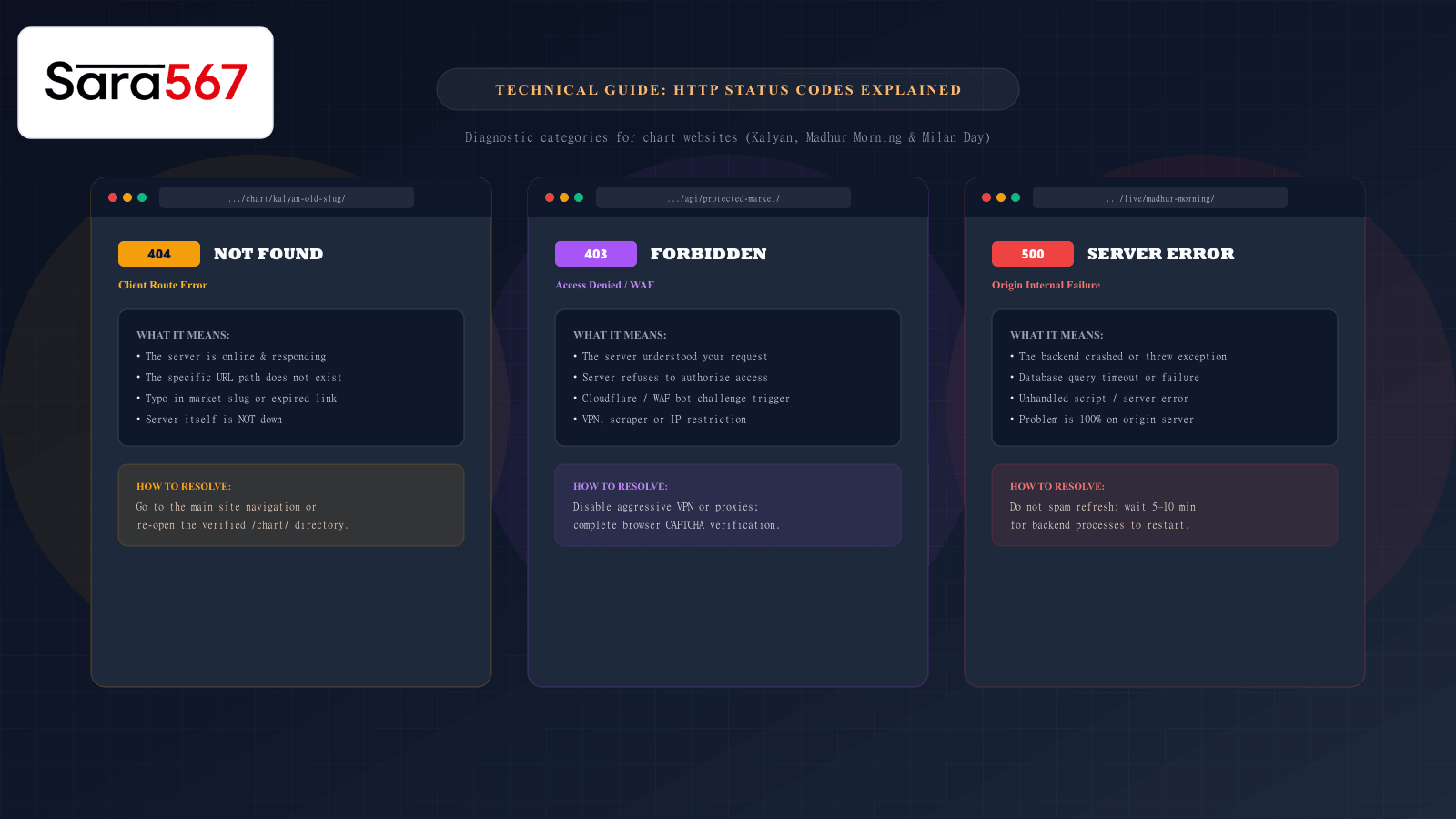
When navigating online market archives, historical panel records, or live scoreboard feeds on platforms like Sara 567, few experiences are more frustrating than clicking a link and encountering a blank screen with a three-digit number: 404, 403, or 500.
To the average visitor, these numeric codes feel like cryptic computer jargon. Many assume the entire website has permanently shut down or that their internet connection has failed. In reality, each HTTP status code is a precise diagnostic message generated by web servers and edge networks to explain exactly where the communication chain broke down.
Understanding what these numbers mean—and who is responsible for them—saves time, prevents unnecessary troubleshooting, and helps you quickly restore access to the market tables you need.
The Golden Rule: 4xx Client vs. 5xx Server Errors
The Internet Engineering Task Force (IETF) organizes HTTP response status codes into five standardized classes. When navigating web portals, errors almost exclusively fall into two distinct brackets:
┌────────────────────────────────────────────────────────────────────────┐
│                   HTTP STATUS CODE ERROR HIERARCHY                     │
├────────────────────────────────────┬───────────────────────────────────┤
│ 4xx: CLIENT-SIDE ERRORS            │ 5xx: SERVER-SIDE ERRORS           │
├────────────────────────────────────┼───────────────────────────────────┤
│ • 404 Not Found                    │ • 500 Internal Server Error       │
│ • 403 Forbidden                    │ • 502 Bad Gateway                 │
│ • 429 Too Many Requests            │ • 503 Service Unavailable         │
├────────────────────────────────────┼───────────────────────────────────┤
│ Meaning: The request made by your  │ Meaning: Your request was valid,  │
│ browser could not be fulfilled as  │ but the host server crashed,      │
│ formulated (missing route or block)│ timed out, or ran out of capacity.│
└────────────────────────────────────┴───────────────────────────────────┘
When you see a 4xx error, the problem originates from the request itself—the specific URL typed, a broken hyperlink, or an IP address blocked by security rules. When you see a 5xx error, your browser acted correctly, but the host server failed to generate the requested webpage.
1. 404 Not Found: The Missing Destination
A 404 Not Found response indicates that your browser successfully established a connection with the web server, but the web server could not locate any active file, route, or database record matching the requested URL.
Visitor Browser ─── [GET /chart/kalyan-panel-202] ───► Origin Server
Visitor Browser ◄── [404: Resource Does Not Exist] ── Origin Server
Why 404s Occur on Chart Websites:
- Typographical Errors in URL Slugs: Typing
kalyan-panalinstead ofkalyan-panelor omitting a hyphen produces an immediate 404 because web servers require exact path matches. - Archived or Renamed Directory Paths: If a site re-architects its routing structure (for example, moving from
/results/milan-day.htmlto/chart/milan-day/), an old bookmarked link will trigger a 404 unless an automatic 301 redirect is configured. - Truncated Shared Links: When users copy links from messaging apps, the trailing characters can get clipped (e.g., sharing
.../madhur-morninstead of.../madhur-morning).
How to Resolve a 404:
- Inspect the URL: Check the address bar for accidental punctuation marks, extra spaces (
%20), or misspelled market names. - Backtrack to the Directory: Strip the URL back to its root section (e.g., erase everything after
sara567apps.com/chart/orsara567apps.com/blog/) and browse the verified site navigation to find the updated link. - Use the Site Search: Use internal navigation menus rather than relying on unverified links shared in chat groups.
2. 403 Forbidden: The Security Guard Block
A 403 Forbidden response means the server recognized your request and confirmed that the requested page exists, but explicitly refuses to grant access.
Unlike a 404 error, a 403 has nothing to do with broken or missing URLs. It is a deliberate access denial issued by the web server or its edge Web Application Firewall (WAF), such as Cloudflare or AWS CloudFront.
Visitor Browser ─── [GET /live/kalyan-results] ───► Cloudflare WAF / Edge
Visitor Browser ◄── [403: Blocked / Bot Check] ───── Cloudflare WAF / Edge
                                                     (Never touches origin)
Why 403s Occur on Chart Websites:
- Aggressive VPNs or Data-Center IPs: High-traffic informational platforms protect their infrastructure against malicious scraping bots and Distributed Denial of Service (DDoS) attacks. If you access a site through a free or public VPN whose IP address was recently flagged for abusive traffic, the edge firewall will instantly block your connection.
- Automated Refresh Extensions: Users who run third-party browser extensions that reload the page every two seconds during peak declaration hours exceed rate-limiting thresholds, triggering an automated temporary ban.
- Browser Header Fingerprinting: If your browser blocks essential HTTP headers or uses outdated user-agent strings, automated security systems may mistake your browser for a script or scraper.
- Restricted Administrative Directories: Attempting to directly open restricted backend folders (such as
/wp-admin/,/api/internal/, or/database/) will return a 403 error.
How to Resolve a 403:
- Disable VPNs or Proxies: Temporarily disconnect your VPN or switch to a domestic residential network connection.
- Turn Off Auto-Refresh Plugins: Rely on the website’s native dynamic refresh components rather than external page reloader extensions.
- Complete the CAPTCHA: If the firewall presents a Cloudflare Turnstile or CAPTCHA challenge, complete it to establish a verified human browsing session.
- Clear Stale Cookies: Clear cookies and cached site data for the domain to remove outdated security challenge tokens.
3. 500 Internal Server Error: Origin Backend Failure
A 500 Internal Server Error is an umbrella status code indicating that the server encountered an unexpected condition that prevented it from fulfilling the request.
This error is 100% on the server side. Your internet connection, computer hardware, and URL are completely fine; the host server simply crashed while attempting to process the page.
Visitor Browser ─── [GET /chart/milan-day] ───► Web Server (Nginx)
                                                      │
                                           [Query Database Backend]
                                                      │
                                           [Crash: DB Pool Timeout]
Visitor Browser ◄── [500: Server Exception] ──────────┘
Why 500s Occur on Chart Websites:
- Database Connection Overload: High-traffic spikes—particularly during evening draw times when hundreds of thousands of users query simultaneous results—can exhaust database connection pools. When database queries fail to resolve within the timeout limit, the server outputs a 500 error.
- Unhandled Script Exceptions: A coding bug in a server-side script (such as an unhandled null value in a newly declared row or a syntax glitch in a recent code deployment) can cause the web application framework to terminate abruptly.
- Misconfigured Web Server Directives: Server configuration errors in
.htaccessor Nginx configuration blocks will halt the web server before it can output HTML.
How to Resolve a 500:
- Do Not Spam Refresh: Repeatedly hammering the
F5key sends dozens of additional requests into a queue that is already overwhelmed, worsening server load and delaying recovery. - Wait 5 to 10 Minutes: Most modern hosting architectures automatically detect 500 spikes, auto-restarting worker processes or routing traffic to healthy standby containers.
- Check Alternative Mirrors or App Feeds: If the primary web portal is temporarily undergoing server maintenance, check the official mobile application or verified alternative directory pages.
HTTP Diagnostic Quick Reference Matrix
| Status Code | Error Classification | Primary Culprit | Immediate Action |
|---|---|---|---|
| 404 Not Found | Client-Side Error | Misspelled URL, deleted page, or broken hyperlink | Verify address bar spelling; backtrack to root /chart/ menu |
| 403 Forbidden | Client-Side / Security | WAF block, flagged VPN IP, or automated scraping threshold | Disconnect VPN; disable auto-refresh plugins; solve CAPTCHA |
| 500 Server Error | Server-Side Failure | Origin crash, database timeout, or unhandled backend bug | Wait 5–10 minutes before retrying; avoid continuous refreshing |
| 502 Bad Gateway | Server-Side Proxy | Edge proxy cannot reach backend origin server | Origin application server is rebooting; retry after a brief pause |
| 503 Unavailable | Server-Side Capacity | Scheduled maintenance or extreme server concurrency overload | Service is temporarily offline for scheduled updates |
Summary: Reading Errors Objectively
When browsing informational market portals, treating HTTP errors as technical signposts rather than mysteries empowers you to take the right action immediately:
- If you see 404, fix the URL.
- If you see 403, adjust your network settings or disable aggressive browser extensions.
- If you see 500, be patient and let the engineering team’s automated recovery protocols restore database availability.
By understanding the communication protocol between your browser and the server, you can navigate digital chart platforms with confidence and avoid chasing phantom technical issues.
Explore Corresponding Market Charts & Verification Tools
Verify real-time numbers, track open/close records, and analyze weekly trends on our informational dashboard.