
What HTTPS and Browser Certificate Warnings Actually Mean
What HTTPS and Browser Certificate Warnings Actually Mean
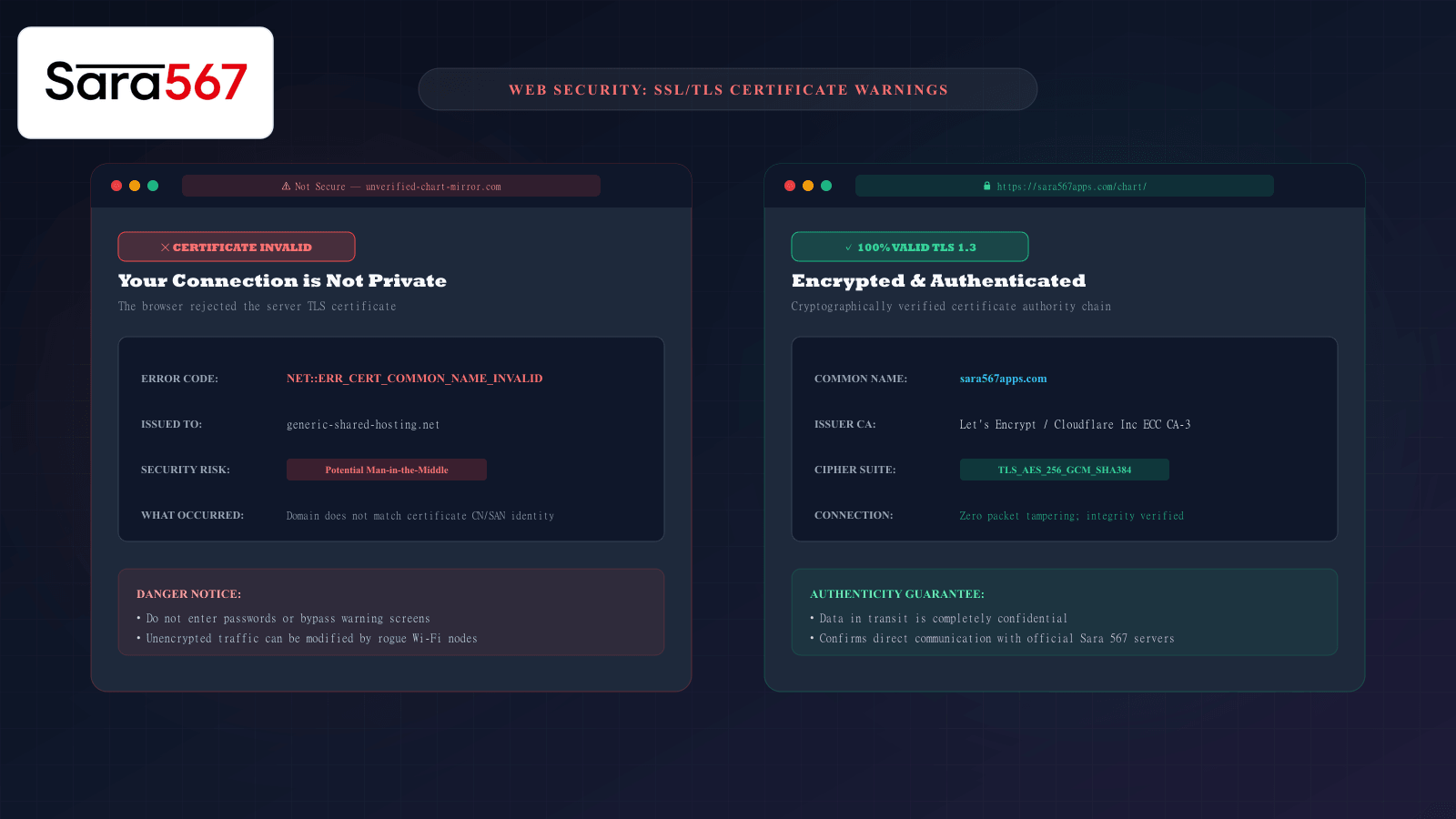
When navigating online to check historical market records or live panel updates—such as Kalyan, Madhur Morning, or Milan Day—few screens are more intimidating than a full-page red alert from Google Chrome, Apple Safari, or Mozilla Firefox proclaiming: "Your connection is not private" or "Potential Security Risk Ahead".
To most web users, this ominous warning suggests that their device has been infected with malware or that hackers are actively invading their computer. In reality, an HTTPS certificate warning is a cryptographic checkpoint where your browser halted traffic because the digital passport presented by the web server failed one of several strict mathematical identity tests.
Understanding what HTTPS actually encrypts, why certificate warnings occur, and how to distinguish a harmless device clock glitch from an unsafe clone website ensures your browsing on Sara 567 remains completely secure.
The Fundamentals of HTTPS: What Does the Padlock Actually Do?
The standard web protocol, HTTP (Hypertext Transfer Protocol), transmits information across the internet in plaintext. If you access a website over plain HTTP, any intermediary node along the connection—your local Wi-Fi router, your Internet Service Provider (ISP), or cellular telecom gateways—can inspect the exact pages you view and inject unwanted advertisements or tracking scripts.
HTTPS (HTTP Secure) solves this by wrapping all traffic in TLS (Transport Layer Security) encryption, currently standardized at TLS 1.3.
┌────────────────────────────────────────────────────────────────────────┐
│                        HTTPS SECURITY PILLARS                          │
├────────────────────┬───────────────────────────────────────────────────┤
│ 1. ENCRYPTION      │ Scrambles the data stream into unreadable cipher- │
│                    │ text so eavesdroppers cannot see your activity.   │
├────────────────────┼───────────────────────────────────────────────────┤
│ 2. DATA INTEGRITY  │ Uses cryptographic hashes (SHA-256) to ensure     │
│                    │ numbers in the table cannot be altered in transit.│
├────────────────────┼───────────────────────────────────────────────────┤
│ 3. AUTHENTICATION  │ Validates that the server you connected to is     │
│                    │ genuinely owned by the domain listed in the URL.  │
└────────────────────┴───────────────────────────────────────────────────┘
When you see the secure padlock next to https://sara567apps.com/, your browser has mathematically verified that you are communicating directly with the authentic server and that no third party can modify the market charts as they travel to your screen.
Why Do Browser Certificate Warnings Happen?
When your browser establishes a secure connection, the web server presents an X.509 Digital Certificate issued by an internationally recognized Certificate Authority (CA), such as Let's Encrypt, Cloudflare, or DigiCert.
If any parameter of that digital certificate fails verification, the browser immediately blocks the page and displays a specific diagnostic error code:
1. NET::ERR_CERT_COMMON_NAME_INVALID (Domain Mismatch)
This is the most critical warning. It indicates that the certificate presented by the server was issued to a completely different domain name.
- Legitimate example: A server administrator mistakenly assigns an SSL certificate for
backup-mirror.comto the primary domainsara567apps.com. - Security threat: An attacker or rogue Wi-Fi router is intercepting your connection and attempting to impersonate the website.
2. NET::ERR_CERT_DATE_INVALID (Expired Certificate or Clock Error)
Every SSL certificate is cryptographically valid only within an exact date range—typically 90 days for modern automated certificates.
- Server cause: The automated renewal cron job on the web host failed, causing the certificate to expire before a new one was deployed.
- Client-side cause: Your phone’s internal calendar clock is set to the wrong year or month (e.g., set to 2021 instead of 2026). Because the certificate’s validity window does not align with your device’s local time, the browser assumes the certificate has expired or is not yet valid!
3. NET::ERR_CERT_AUTHORITY_INVALID (Self-Signed or Untrusted CA)
Browsers maintain a built-in trust store of certified global authorities. If a website generates its own "self-signed" certificate without validation from an authorized CA, the browser cannot verify who actually operates the site, triggering an untrusted authority warning.
What HTTPS Does NOT Mean: Debunking a Common Myth
Many internet users assume that if a website has a green padlock or a valid HTTPS certificate, the content on the website is guaranteed to be 100% trustworthy, verified, and safe.
This is a dangerous misconception.
┌────────────────────────────────────────────────────────────────────────┐
│                      WHAT HTTPS PROVES VS WHAT IT DOES NOT             │
├────────────────────────────────────┬───────────────────────────────────┤
│ WHAT HTTPS GUARANTEES:             │ WHAT HTTPS DOES NOT GUARANTEE:    │
├────────────────────────────────────┼───────────────────────────────────┤
│ • Nobody modified the table while  │ • It does NOT guarantee the       │
│   it was traveling to your phone.  │   site's claims are accurate.     │
│ • Nobody on your Wi-Fi can see the │ • Anyone, including clone sites,  │
│   exact URL path you requested.    │   can obtain a free valid SSL     │
│ • You are connected to the domain  │   certificate for lookalike       │
│   named in the browser address bar.│   domains (e.g., sara-567-fake.in)│
└────────────────────────────────────┴───────────────────────────────────┘
A valid SSL certificate simply means the connection is encrypted. It does not replace the need to verify that you are on the authentic canonical domain.
Troubleshooting Checklist When You See a Warning
If you encounter an HTTPS warning when attempting to open a chart website, follow this diagnostic sequence:
┌────────────────────────────────────────────────────────────────────────┐
│                   CERTIFICATE AUDIT ACTION PLAN                        │
├────────────────────────────────────────────────────────────────────────┤
│ 1. CHECK YOUR DEVICE DATE & TIME: Ensure your phone or computer is set │
│    to "Set Time Automatically". Over 60% of sudden certificate errors  │
│    are caused by clock skew on the user's local operating system.      │
│                                                                        │
│ 2. INSPECT THE EXACT DOMAIN SPELLING: Look carefully at the address bar.│
│    Are you on the official sara567apps.com, or did an unverified link  │
│    route you to a misspelled clone domain?                             │
│                                                                        │
│ 3. TEST ON CELLULAR DATA: If you are connected to a public Wi-Fi       │
│    hotspot (e.g., airport or cafe), disconnect and switch to 4G/5G.    │
│    Public portals often intercept TLS traffic to force login pages.    │
│                                                                        │
│ 4. NEVER CLICK "ADVANCED > PROCEED TO UNSAFE SITE" on unknown links:   │
│    Bypassing browser certificate warnings exposes your browser session │
│    to content injection and credential harvesting.                     │
└────────────────────────────────────────────────────────────────────────┘
Summary
HTTPS and digital certificate checks are your browser's primary line of defense. When a certificate warning appears, it is not an error to be bypassed casually—it is an explicit signal that the cryptographic identity chain has broken. By keeping your device clock synchronized, verifying the domain name in your address bar, and relying on platforms like Sara 567 that maintain automated, high-grade TLS 1.3 encryption, you can navigate historical market records with complete peace of mind.
Explore Corresponding Market Charts & Verification Tools
Verify real-time numbers, track open/close records, and analyze weekly trends on our informational dashboard.